Item Descriptions:
size:
VR 3 + remote control
3D home cinema
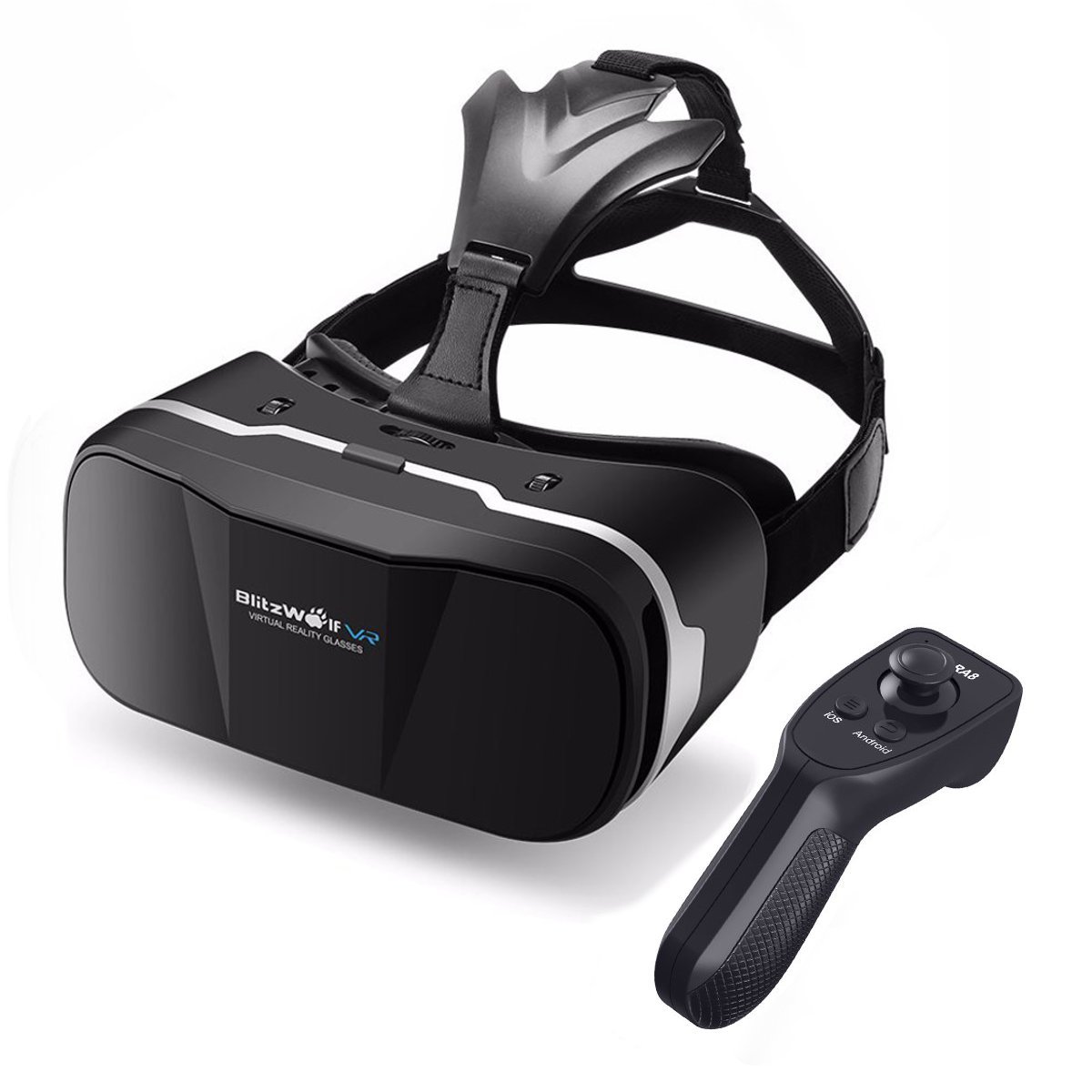
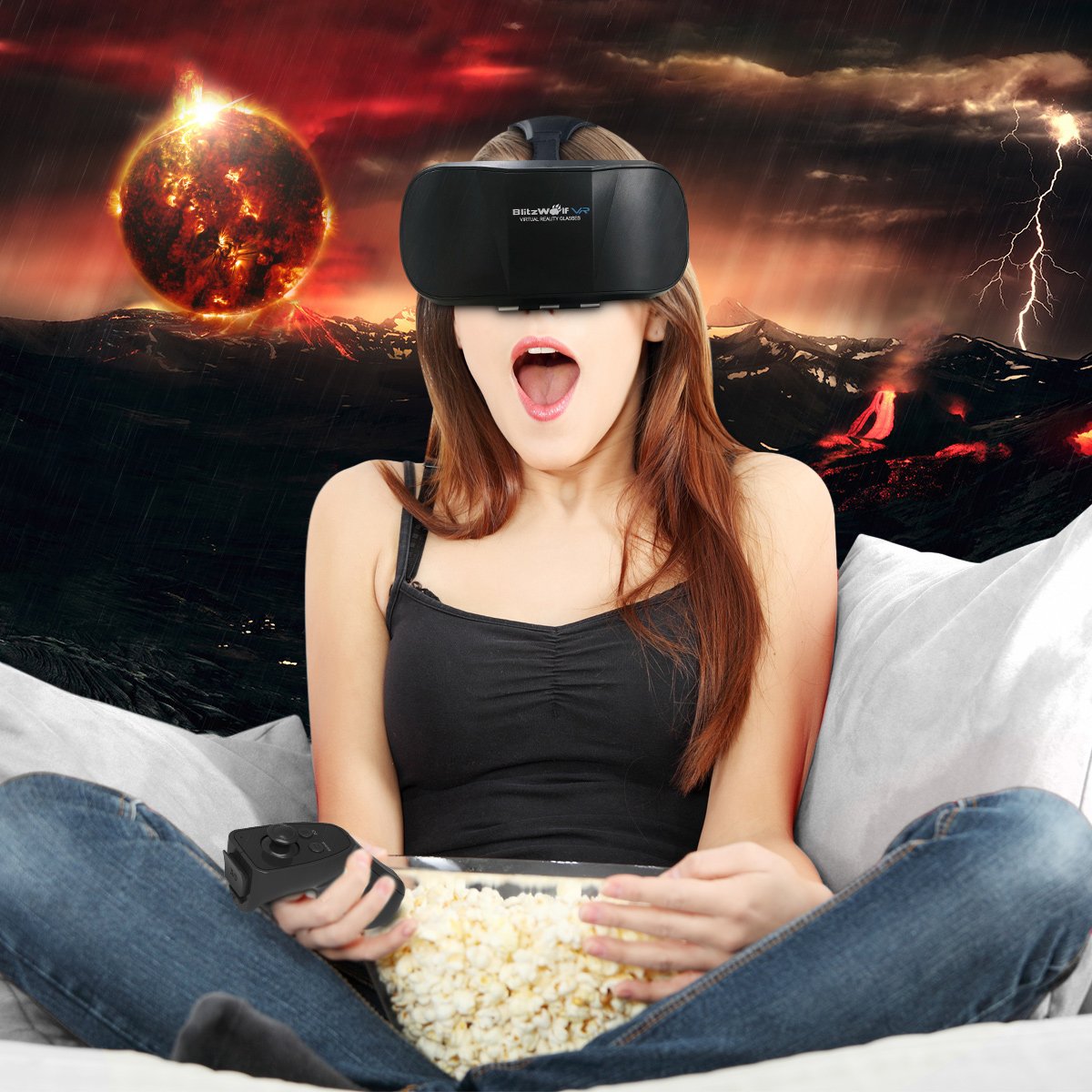
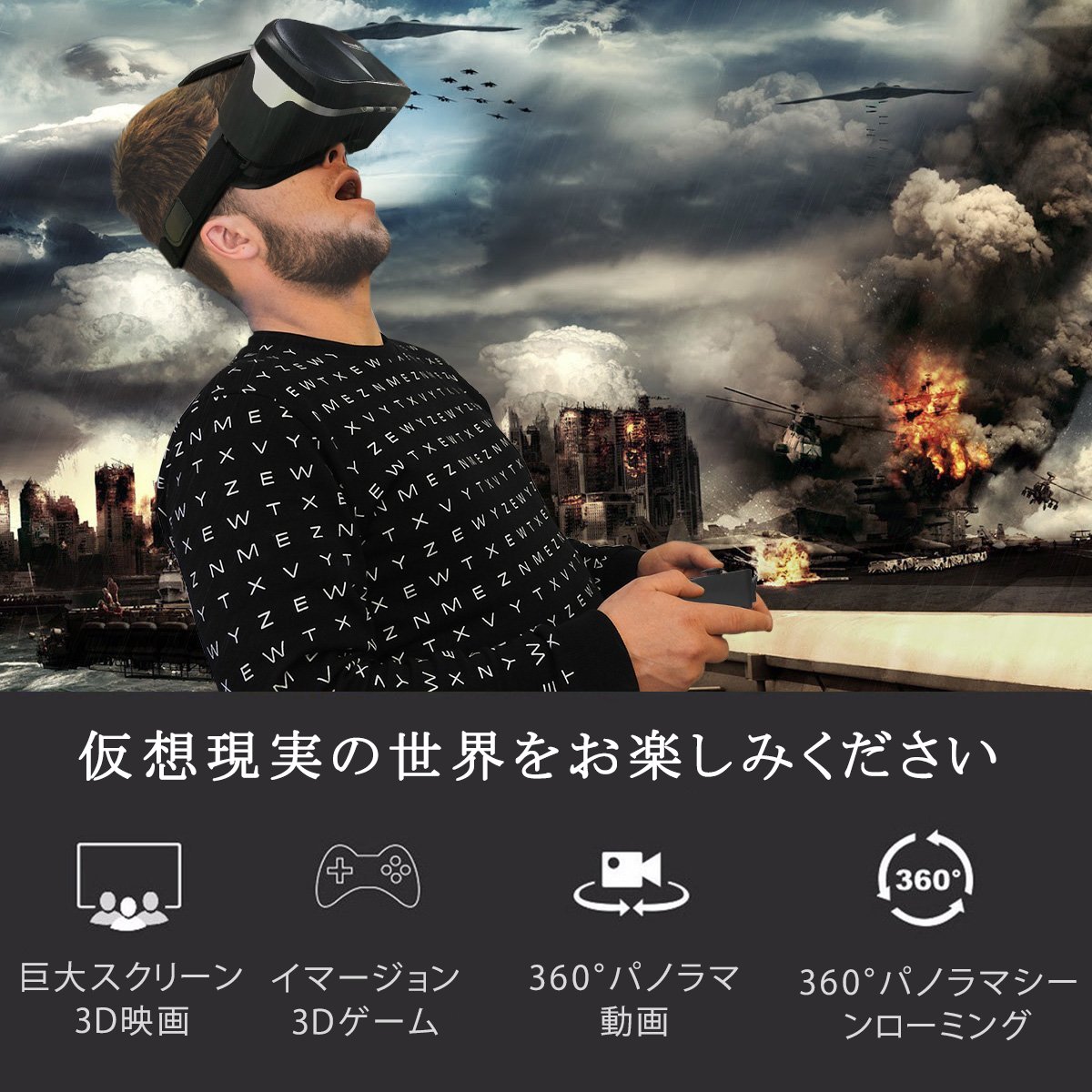
BlitzWolf uses VR glasses to enter the 3D Virtual Reality Viewer, view Hollywood hits anytime, anywhere and provide a VR experience like 3D home cinema.
3D VR with Bluetooth remote control
goggles
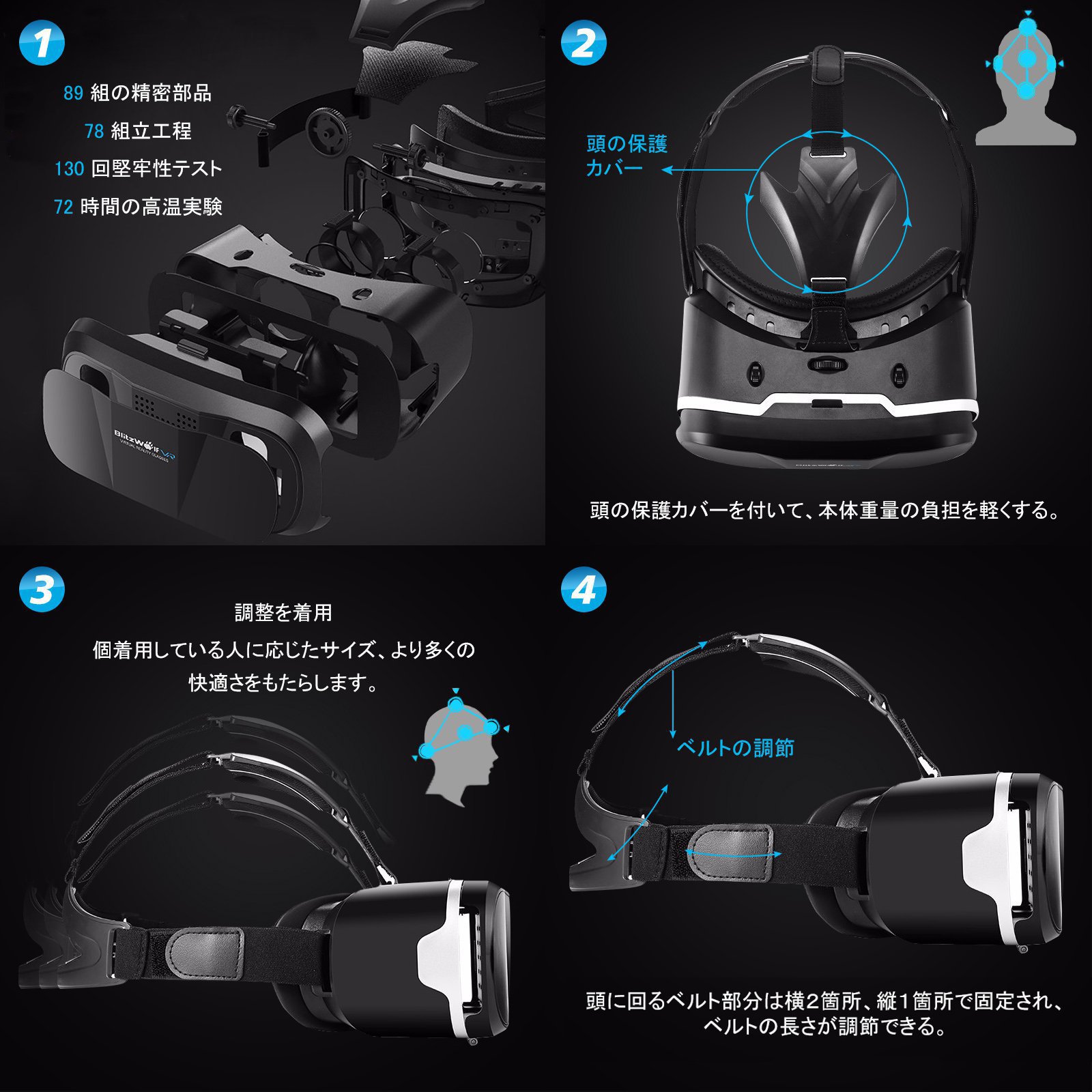
BlitzWolf vr Goggle provides high quality and suitable design suitable for wearing after 130 anti-straw experiments and 72 hours high temperature experiments.
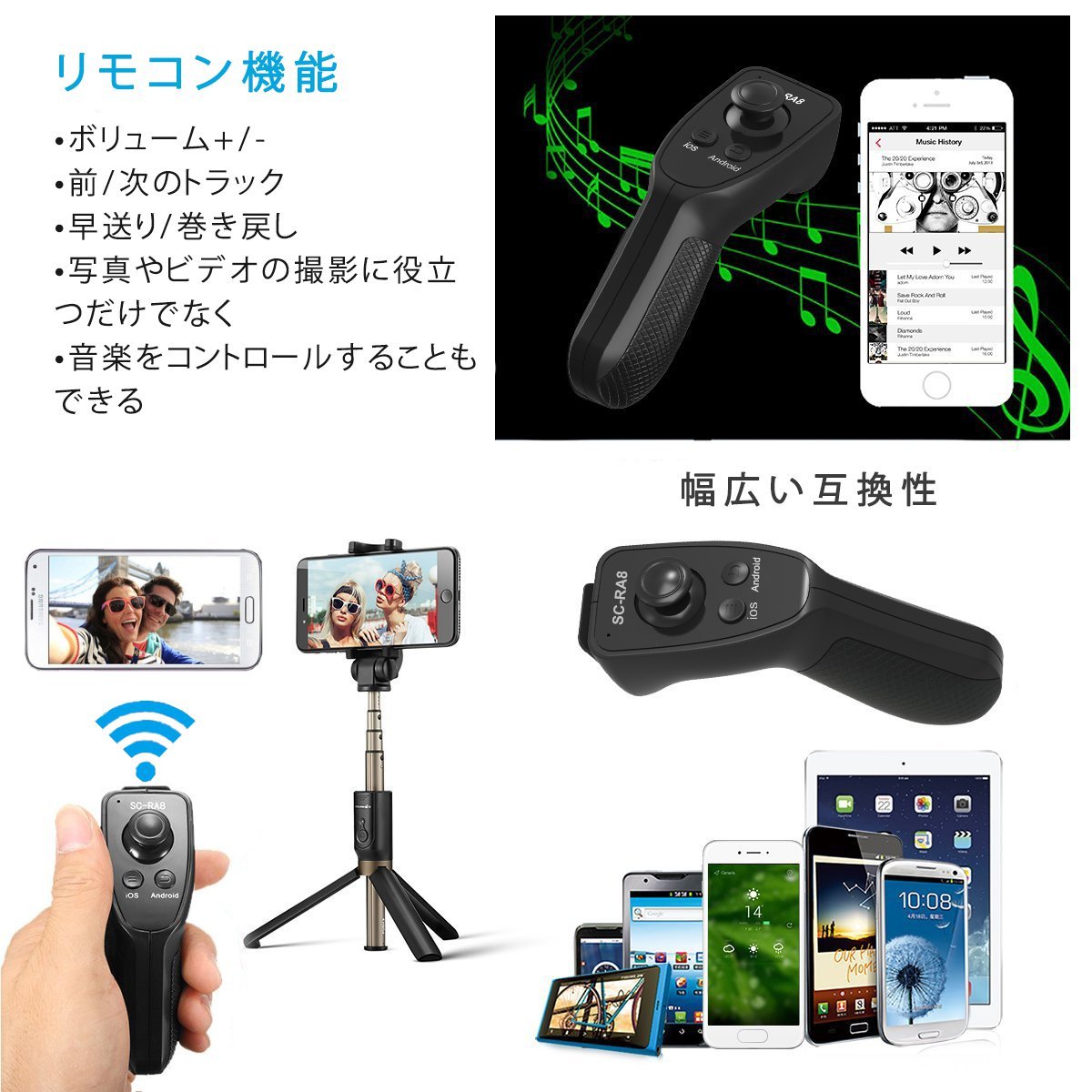
The new Bluetooth remote provides many functions and can be used to take pictures, take videos and watch movies.
Eye protection and comfort:
1. You can adjust the head strap according to the size you are wearing personal.
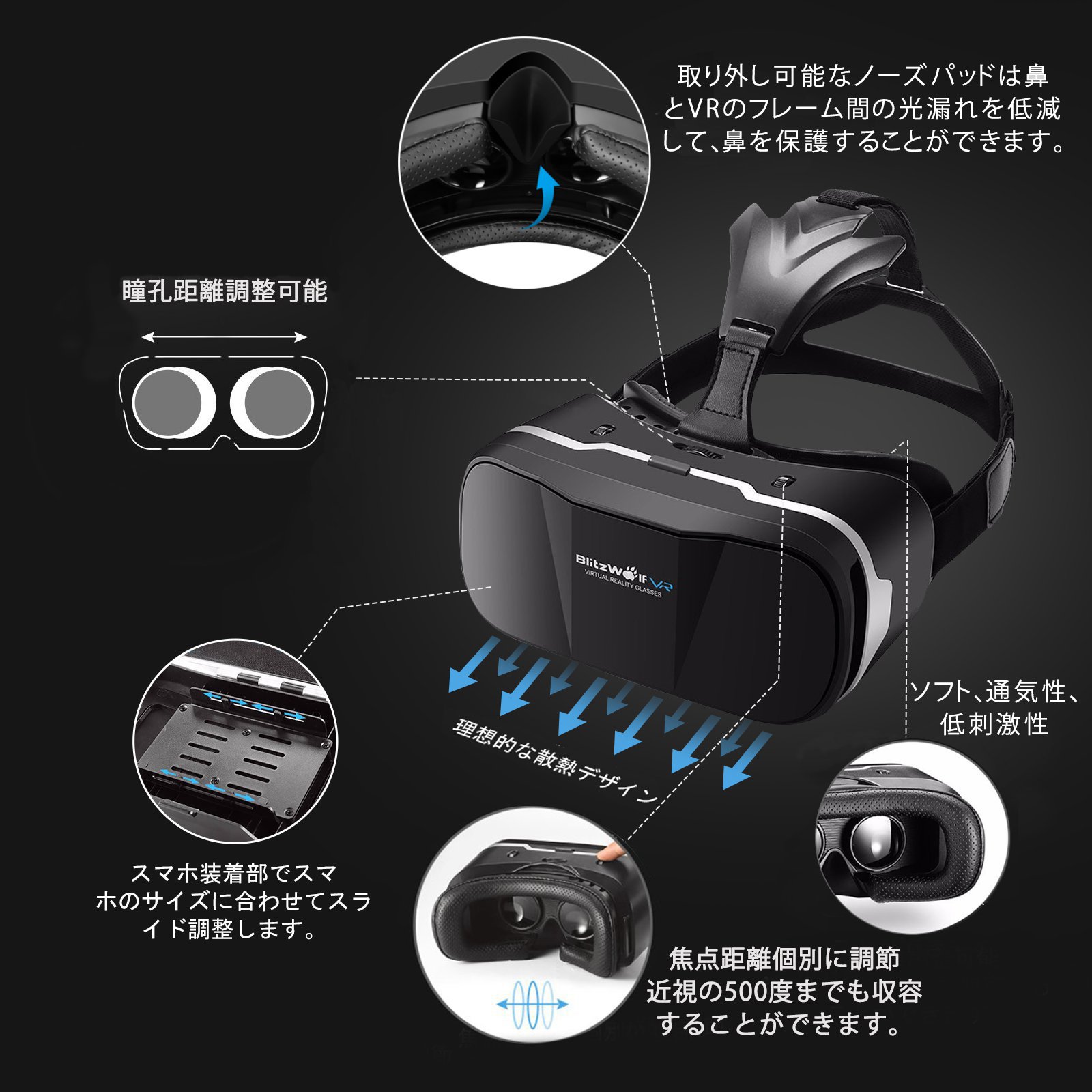
2. 4.2 cm Mitsubishi PMMA aspheric surface FOV 8-layer nano-coated lens polished five times at 108 °.
3. Improve soft, artificial perforated leather around eye area and head, and feel better even after time.
4. The rubber pad of the portable clamp can be adjusted according to the device.
This prevents the side button of the smartphone from being accidentally pushed when attached to goggles.
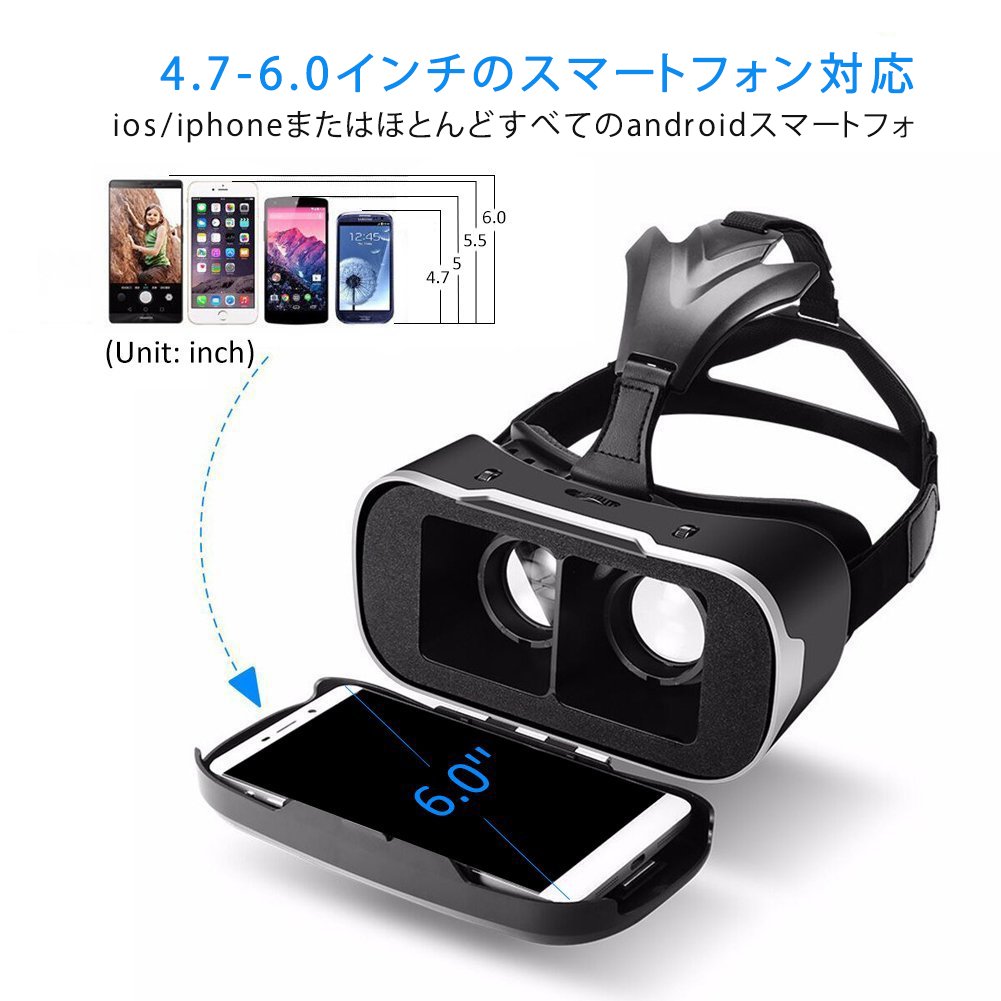
Compatible with 4.7-6 inch phone:
It is interchangeable with iPhone 8/8 Plus / 7 plus / 7/6 s plus / 6 s / 6/5 s / 5, Samsung Galaxy S 8/7/6/5/4, Sony, Huawei, Nokia, LG, Nexus, Xiaomi
Yes, it will work with over 500 iOS / Android virtual reality apps on the Apple App Store and the Google Play store.
Adjust lens individually:
1. In the range of 55 mm to 65 mm (PD) and 56 to 60 mm (FD), if the eye focus is less than 500 degrees, you can use without glasses.
2. When the short-sight vision of both eyes are different, you can adjust the pupil distance and focal length separately according to the degree of both eyes instead of setting the focal length at the same position.
please note:
1. On the iOS or Android system, you can not play games with this remote control.
2. Do not bring the lens closer to your eyes.
It is because it tends to be uncomfortable.
3. First use is dizzy for some users, but you do not have to worry.
4. Peel off the lens protective film, wipe the lens with a glass cloth, do not use.
5. If the video is ambiguous, you need to adjust the video quality above the HD level.
6. The phone case will increase the size of the original phone, please leave the phone case before using it.
7. We recommend downloading "Jaunt VR APP" etc. from the application store or Google Play.
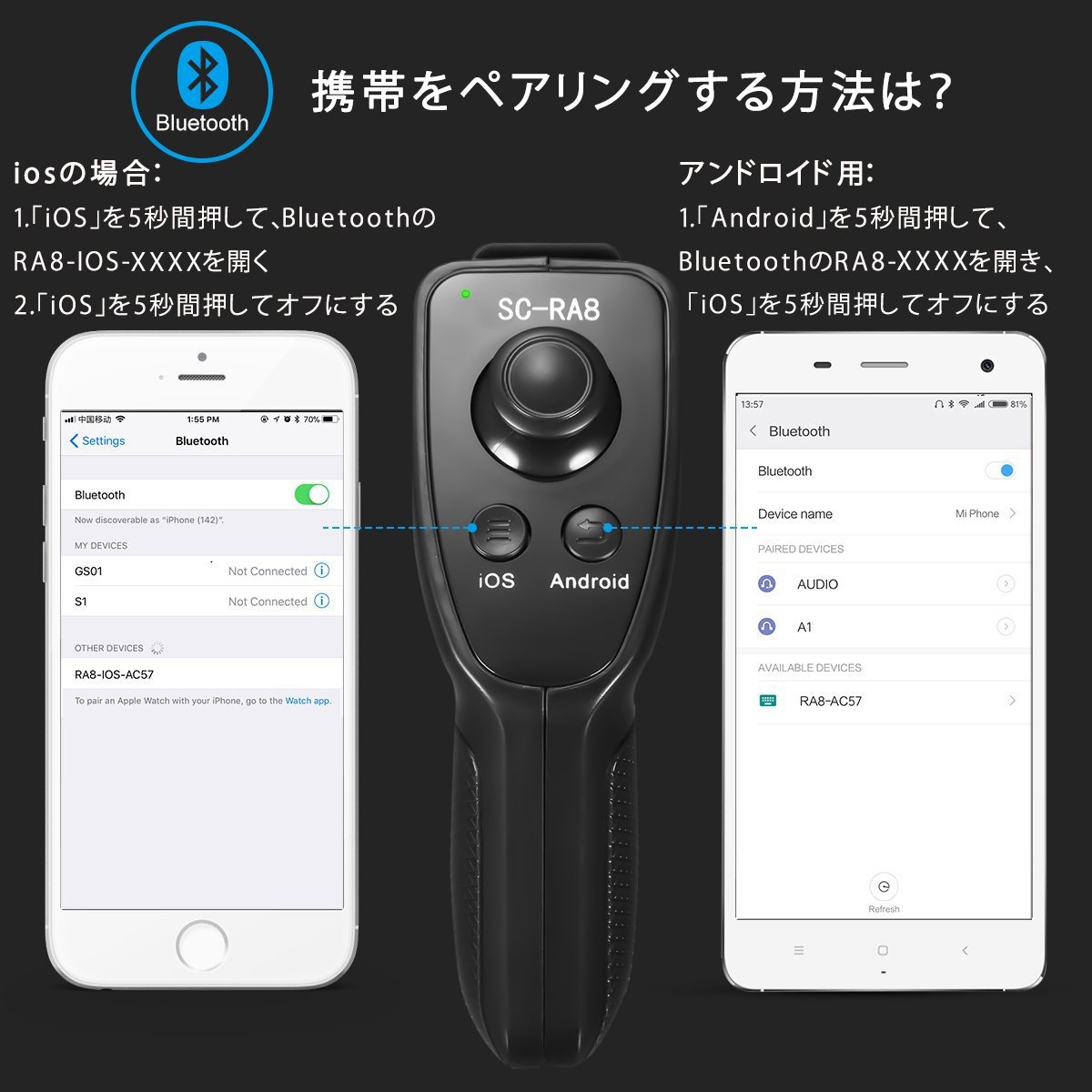
8. If you can not connect to Bluetooth, click "Forget this device", close Bluetooth, open it for repair, and then reconnect Bluetooth at the end.
9. If the remote control does not work, remove the battery and try again.
Reduce light leakage with detachable nose pad
Attaching the nose pad to the nosepiece reduces light leakage between the nose and the vr frame.
If you do not use the nose pad, you can remove the nosepiece.
set content
1 * Blitz Wolf VR 3 + Bluetooth remote control (without battery)
1 * glasses cloth
1 * Japanese user manual
1 * Warranty card
360 degree panoramic scene roaming
Use the Bluetooth remote control to control music, self-timer, shoot videos and share happy moments.
Android system (mouse, multimedia mode)
Open / Close: Press the return button for 5 seconds and open it, press the menu button for 5 seconds to close (Bluetooth name: RA8 - XXXX)
Multimedia mode:
You can take pictures by pressing the menu / return button, but you can not shoot videos.
Pressing the OK button pauses / plays the previous song or the next song with the 360-degree joystick.
Mouse mode:
When you press the "Menu" button, the mouse arrow will be displayed, but you can not hide it.
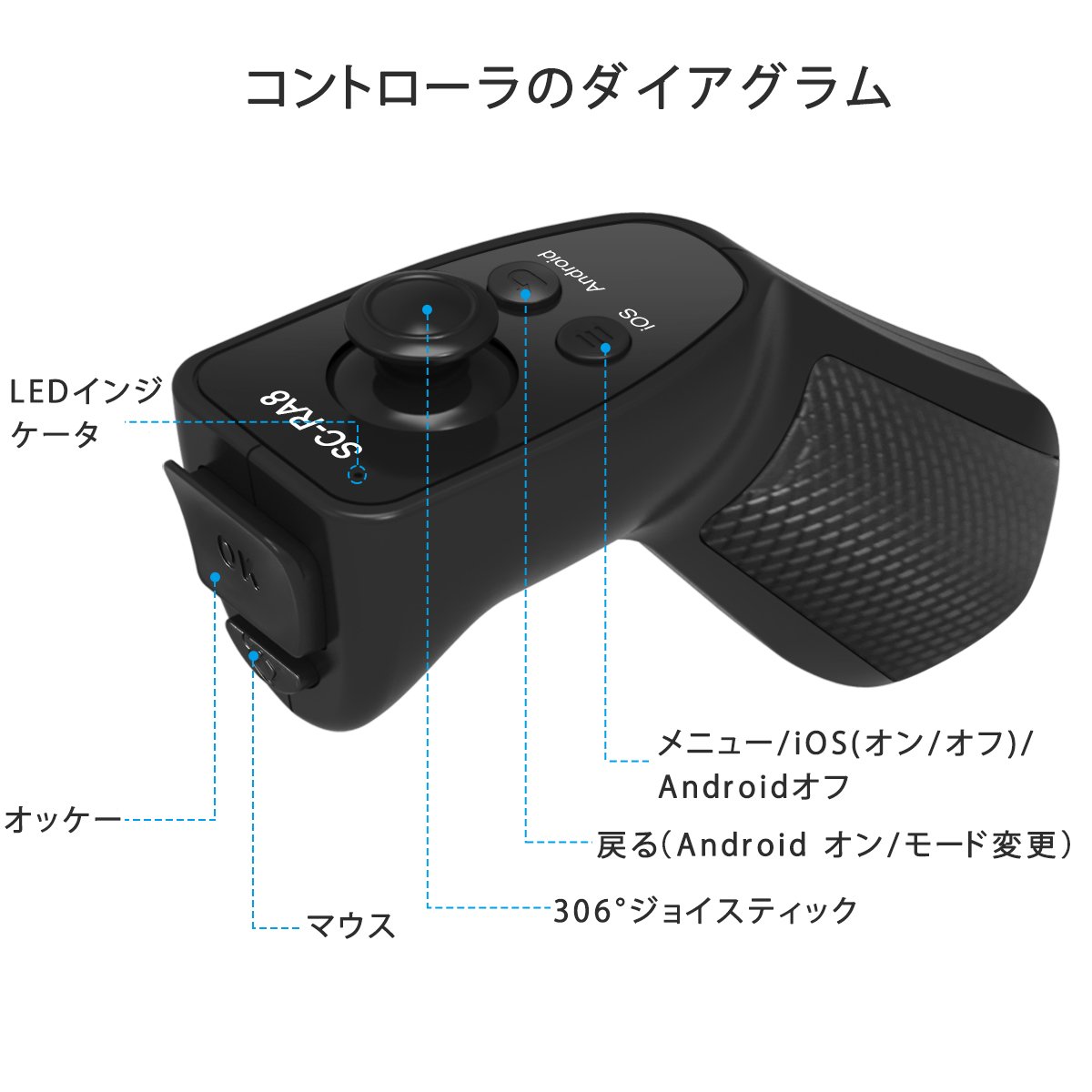
Upgraded Bluetooth remote control supports iOS and Android smartphone.
There are menu, return, 360 degree joystick, OK, mouse button.
iOS system (multimedia mode):
Open / Close: Press and hold the menu button for 5 seconds to open / close (Bluetooth name: RA8 - IOS - XXXX)
Multimedia mode:
When Bluetooth is connected correctly, when the remote controller first pairs the device, the remote control automatically switches to VR mode.
To change the mode, press the return button for 5 seconds to switch to multimedia mode.
By operating the Bluetooth remote control, you can take pictures, take videos and listen to music (Hint: press the mouse for 5 seconds to display the on-screen keyboard)
Features:
- Please enter model number Confirm this is compatible:
- 【Lightweight design】 BW-VR3 of the VR third edition was subjected to the latest version of the VR series, 130 times robustness test and 72 hours high temperature experiment.
- Provide designs that are better suited to human head shapes and render true 3 dimensional virtual worlds that are lightweight designed and do not burden even when wearing for a long time.
- [Eye protection and comfort] 90% Nine coatings polished five times to reduce the radiation of cell phone screen radiation and harmful blue light reflection are used.
- Soft leather keeps your skin and eyes comfortable without burden even after seeing for a long time.
- A soft, removable leather pad reduces light leakage between the nose and the VR's frame, making you feel better after time. (Note: If the nose fits the VR frame, remove the nose pad
- can do).
- [Corresponds to 500 degrees of myopia] The pupil distance of 55 to 65 mm can be adjusted, and it can accommodate up to 500 degrees of myopia.
- Each eye has adjustable focus and can be adjusted separately.
- Even with myopia, you can see the screen clearly by adjusting.
- 【Support 4.7 to 6 inch mobile phone】 BW - VR 3 has adjustable rubber jig.
- Since it can correspond to 4.7 to 6.0 inch mobile phones, there is no worry that VR can be used even on a large screen of the mobile phone.
- (The volume button is always open.)
- 【Download 3D video application】 There is iOS / Android virtual reality application project on 500.
- Since you can not automatically convert this VR image to 3D format, you need to download a 3D format video application and watch it on YouTube, QR code, Apple App Store or Google Video Panorama store,
- Video sources can be found on Google.
Product information:
Shipping Weight: 662 g
Package Dimensions: 11.61 x 22.81 x 26.80 cm
SHIPPING METHOD
Delivered directly from Japan by Japan Post. It will take 3 to 5 business days to prepare the order for shipping. We guarantee careful packing and safe shipping.Please note that in some cases additional import or VAT charges may incur and have to be borne by the client.
1. Japanpost registered mail
Shipment by Japanpost Registered Mail (Standard). Trackable any time with tracking number. Insurance is not available. Delivery time usually is between 1-3 weeks from the date of dispatch. Some items are not eligible for Standard Shipping.
2. Qxpress Standard
Shipment by Qxpress standard service. Trackable at any time with tracking number. Registered and insured up to a value of item price and shipping fees.Delivery time is usually between 5-10 business days from the date of dispatch.
3. EMS
Shipment by Expedited Mail Service. Trackable at any time with tracking number. Registered and insured up to a value of $200 and usually delivered in 2-6 business day from the date of dispatch.

| Japanpost registered mail | Qexpress | EMS | |
|---|---|---|---|
| Shipping Method | Japanpost Registered Mail (Standard) | Standard Qexpress | EMS (Expedited Mail Service) |
| Trackable | Yes | Yes | Yes |
| Insured | N/A | Yes (Up to item price and shipping fees) | Yes (Up to $200.00) |
| Asia | 1-3 weeks | 5-10 days | 2-5 days |
| Oceania; North America; Central America and the Middle East | 2-4 weeks | 6-14 days | 2-6 days |
| Europe | 2-4 weeks | 6-16 days | 3-8 days |
| South America and Africa | 2-4 weeks | 10-18 days | 4-8 days |
NOTICE:
- For overseas delivery, please be aware that damage to the outer box can be seen.
- If you would like to avoid as much damage as possible, please choose the EMS shipping method.
"According to Qoo10 guide line,overseas shipping fees will be charged to you extra if you choose Qxpress standard shipping.We recommend you to compare the total price of your purchase with EMS."
