View larger
View larger
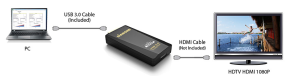
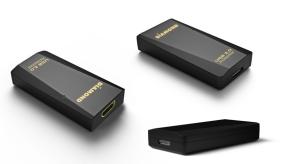
The Diamond UGA BVU3500H USB 3.0 to DVI/HDMI adapter allows easy plug and play installation for multiple displays/monitors. Enhance your laptop’s visual experience by adding 2, 3 or up to 6 displays in minutes. (Each Display requires an additional UGA BVU3500H adapter, maximum 6 per system. ) The UGA BVU3500H is equipped with the award winning DisplayLink DL-3500 chipset and supports 2560 x 1600, 2048 x 1152 and 1080P resolutions.
Add multiple displays to your Desktop PC without the hassle of opening your desktop case and adding costly discrete graphic cards. Use it to connect your HD TV or projector to your laptop, Macbook, or Ultrabook.
The Diamond UGA BVU3500H is compatible with Microsoft Windows 8, Windows 7, Windows Vista, Windows XP, and Apple Mac OS, OSX, 10.6 and higher.
UGA BVU3500H also supports Windows Extended and Mirrored Modes. It is equipped with the award winning DisplayLink DL-3500 chipset and supports 2560 x 1600, 2048 x 1152 and 1080P resolutions. Note: Interlaced modes and Windows Display Properties are not supported.
For 6 screens where 1 screen can run full screen DVD video, you'll need 1.8GHz Core Duo and 1GB memory. Also required are one USB 2.0 port, 30 megabytes (MB) of free disk space, 10MB hard disk space, 1GB system memory, and an available CD-ROM or DVD-ROM drive.
View larger
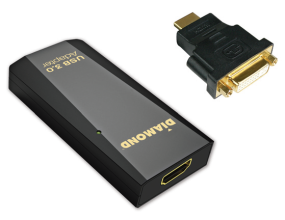
- UGA BVU3500H USB 3.0 display adapter
- USB 3.0 Micro cable
- HDMI to DVI dongle
- Quick Installation Guide
- Installation CD