Item Descriptions:
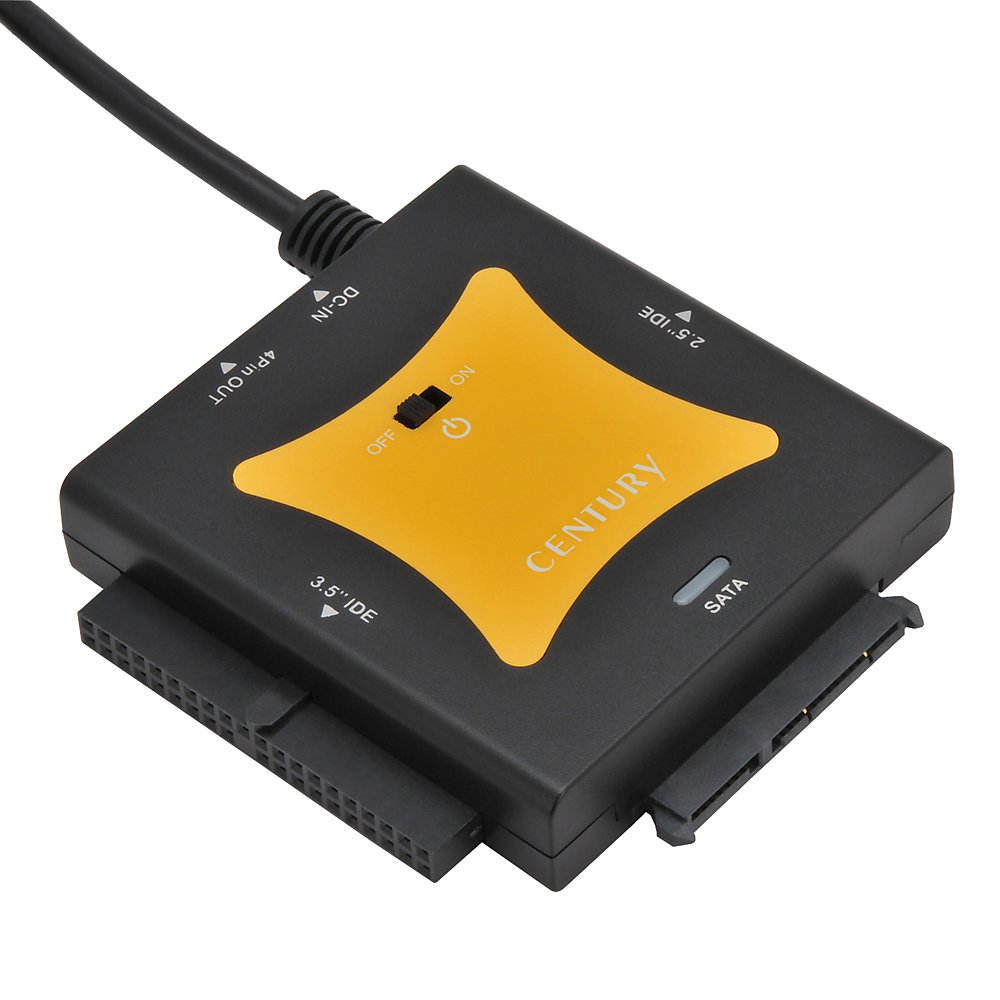
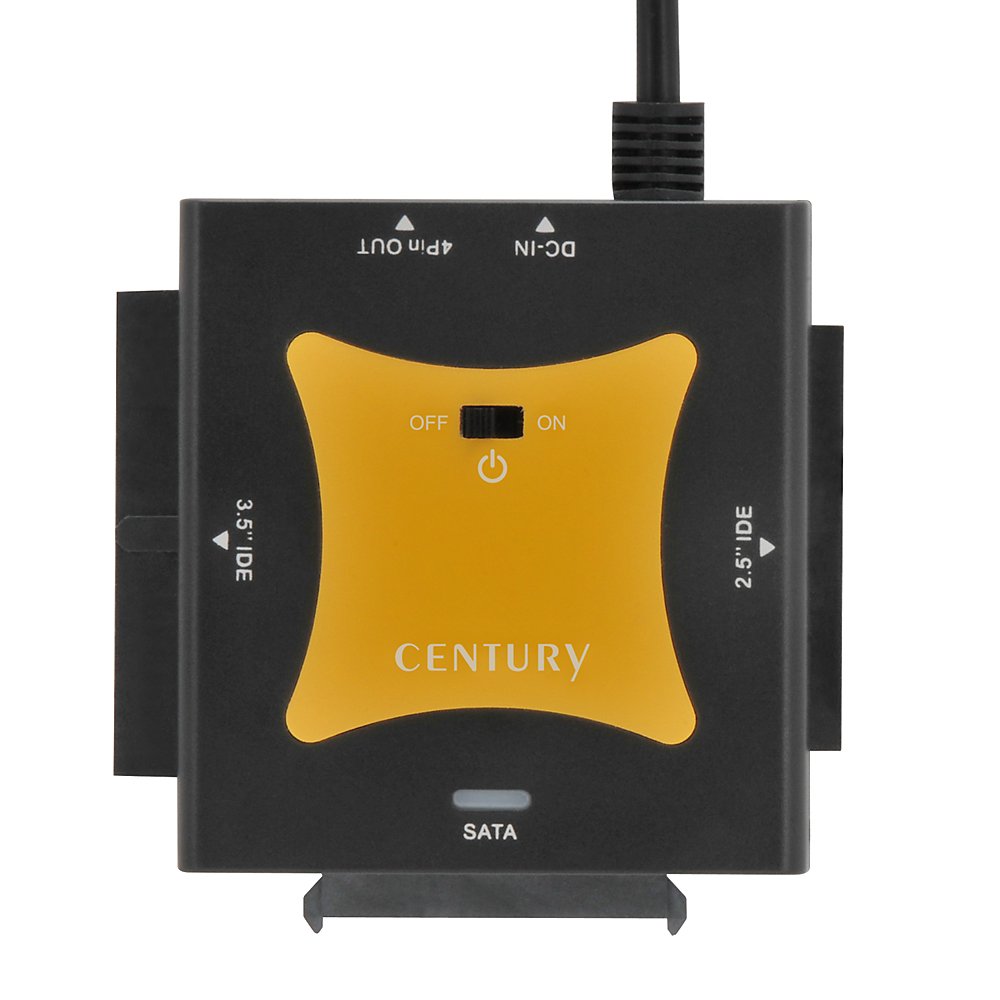
It can be used as an external device while bulk state of IDE / SATA-HDD / SSD of 2.5 inch / 3.5 inch or SATA connected optical drive.
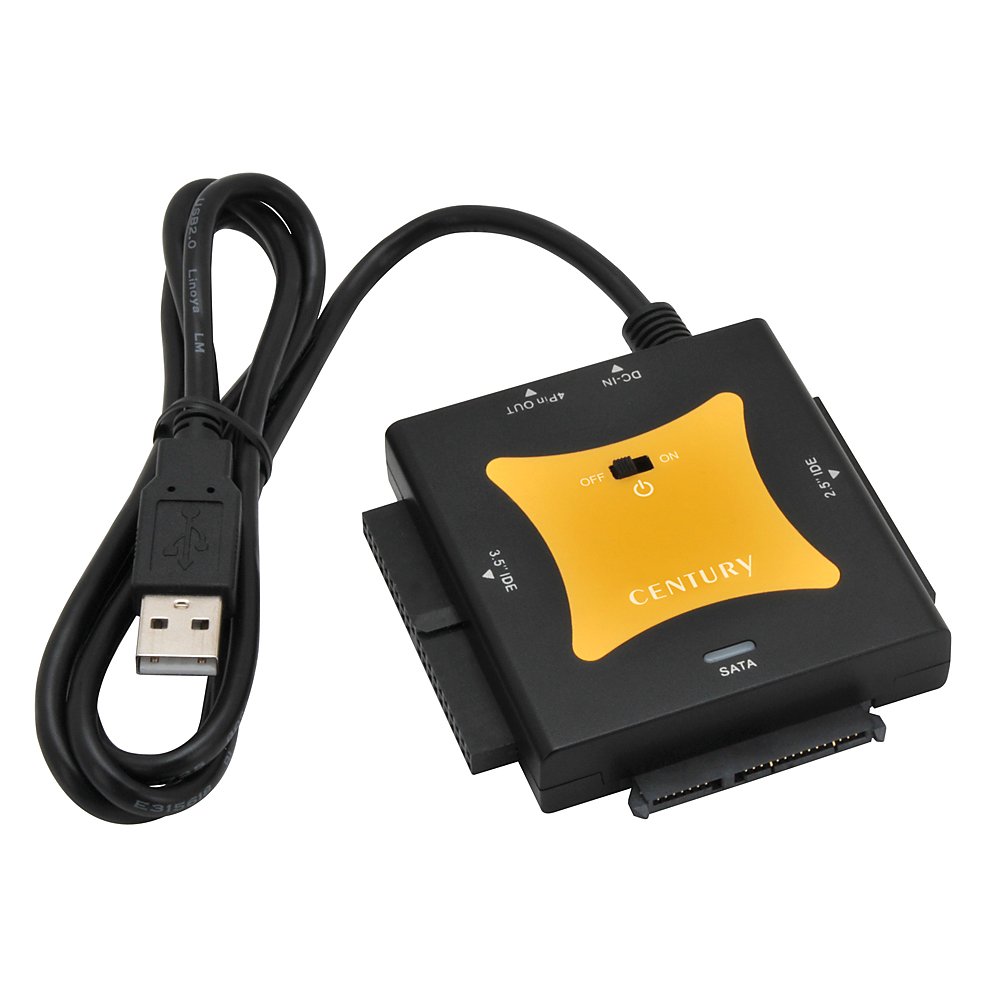
You can easily connect with the PC with USB 2.0 just by inserting the connector directly.
2.5 inch IDE HDD can be driven with USB bus power without using AC adapter.
Compatible with HDDs with large capacity up to 8 TB
Interface: Host side: USB 2.0, equipment side: 【SATA】 I / II / 1.5 Gbps / 3 Gbps 【IDE】 Ultra ATA / 133 (BigDrive compatible)
Applicable drive: 【SATA connection】 2.5 inch or 3.5 inch SATA HDD / SSD (I / II / 3.0 / 1.5 Gbps / 3 Gbps / 6 Gbps), SATA connected optical drive 【IDE connection】 2.5 inch or 3.5 inch (Ultra ATA 100
Recommended) IDE HDD
Supported OS: Windows 10 / 8.1 (8) / 7 / Vista, Mac OS 10.11.3 / 10.11.1 / 10.10.5 / 10.9.5 / 10.8.5 / 10.7.5 / 10.6.8
Supported models: PC / AT compatible machine with USB 2.0 interface support or Intel Mac
Product contents: Main body, 4-pin power cable for 3.5-inch IDE HDD connection, dedicated AC adapter, instruction manual / warranty card
Features:
- Please enter model number Confirm this is compatible:
- Adapter that converts internal IDE / SATA-HDD to USB 2.0 connection with nakedness
Product information:
Shipping Weight: 344 g
Package Dimensions: 8.41 x 11.61 x 17.50 cm
Customer reviews from Japan:

 Organizing and dispose of old HDD
I use the initialization so that necessary documents can be taken out from the IDE taken out from the exchanged HDD used in the old Macbook and the external HDD which no longer recognizes, and can be disposed. Since I had used similar items for about 10 years ago, I bought it without hesitation from the functional aspect. All the HDD below was recognized and it was possible to retrieve data. Westan Digital: 3.5 inches, 250 GB Toshiba: 2.5 inches, 30 GB and 4 GBSAMSUNG: 2.5 inches, 80 GBIBM: 10 GB * SATA, SAS are not on hand so I can not try it. Data retrieval terminal MacBook Pro 15 inch late 2016, take out using USB Type - C conversion to Sierra.
Worked to create cloned discs
I heard something unfamiliar from the PC's HDD, so I applied a check disk, but no error. However, looking at the S.M.A.R.T information there is a dangerous sign .... So we decided to transfer the current environment to another HDD, and this product became the turn. Naked heads have used old models. Compared to the old model, this product has simpler connection of cables and usability has improved.
I was looking for an IED connection
There are various SATA, but IDE has not seen anything recently. I chose this that I can connect IDE in such a situation. Because it is USB 2.0, the transmission speed is not fast, but I am satisfied that I can reliably back up to SATA.
Purchase for utilization of old assets
I bought it to read an IDE hard disk with a slightly special format, but it does not recognize the hard disk even if I connect it according to the instructions. I was a little impatient, but with the jumper as the master, I further recognized that I moved the program for reading in XP service pack 3 compatibility mode, safely. It seems there was a problem with my way of use, not due to this product. It is difficult to utilize old assets. The product is very good, it works well even at WIN10.
IDE connection
It is recommended if you are in trouble with IDE connection relationship you bought to suck out data from SSD of IDE connection.
It is quite good
I did not know what old HDD was in and what was in it, so I could use all this (12 units) to check. It was really convenient to be able to check that the IDE was 4 units and the remaining SATA was OK and 2 HDDs were broken. The price was reasonable and easy to operate and was a good shopping.
Resurrected HDD used to be old
HDD used as an external HDD in Windows XP era became Windows 10 and became unrecognized, so I tried purchasing. Great splurge. It is very handy. Data suction succeeded.
SHIPPING METHOD
Delivered directly from Japan by Japan Post. It will take 3 to 5 business days to prepare the order for shipping. We guarantee careful packing and safe shipping.Please note that in some cases additional import or VAT charges may incur and have to be borne by the client.
1. Japanpost registered mail
Shipment by Japanpost Registered Mail (Standard). Trackable any time with tracking number. Insurance is not available. Delivery time usually is between 1-3 weeks from the date of dispatch. Some items are not eligible for Standard Shipping.
2. Qxpress Standard
Shipment by Qxpress standard service. Trackable at any time with tracking number. Registered and insured up to a value of item price and shipping fees.Delivery time is usually between 5-10 business days from the date of dispatch.
3. EMS
Shipment by Expedited Mail Service. Trackable at any time with tracking number. Registered and insured up to a value of $200 and usually delivered in 2-6 business day from the date of dispatch.

| Japanpost registered mail | Qexpress | EMS | |
|---|---|---|---|
| Shipping Method | Japanpost Registered Mail (Standard) | Standard Qexpress | EMS (Expedited Mail Service) |
| Trackable | Yes | Yes | Yes |
| Insured | N/A | Yes (Up to item price and shipping fees) | Yes (Up to $200.00) |
| Asia | 1-3 weeks | 5-10 days | 2-5 days |
| Oceania; North America; Central America and the Middle East | 2-4 weeks | 6-14 days | 2-6 days |
| Europe | 2-4 weeks | 6-16 days | 3-8 days |
| South America and Africa | 2-4 weeks | 10-18 days | 4-8 days |
NOTICE:
- For overseas delivery, please be aware that damage to the outer box can be seen.
- If you would like to avoid as much damage as possible, please choose the EMS shipping method.
"According to Qoo10 guide line,overseas shipping fees will be charged to you extra if you choose Qxpress standard shipping.We recommend you to compare the total price of your purchase with EMS."
