系统需求:
1.主板z97以上
2.操作系统Windows10以上
注意:如果你的主板芯片组是9系列以下,不要使用pm951、sm951、pm950 XP941等PCIe x4规格硬盘!
并不是你主板有PCIE接口就能使用PCIE接口的固态硬盘,关键要看你的主板BIOS能不能支持PCIE接口的固态硬盘!
9系列以下的芯片组正常情况下是肯定不能支持PCIE接口固态硬盘启动的!
AMD芯片组主板不建议购买!
NVME协议的盘对AS SSD测试软件兼容性不好,建议使用Crystal DiskMark软件测试速度!
另外,这个转接卡是插主板的PCIE显卡插槽,不要插错位置!如果插入PCI插槽可能会烧毁转接卡和硬盘!
注意: 在windows7及windows 2008R2操作系统中,需安装M-key或NVME SSD的补丁,
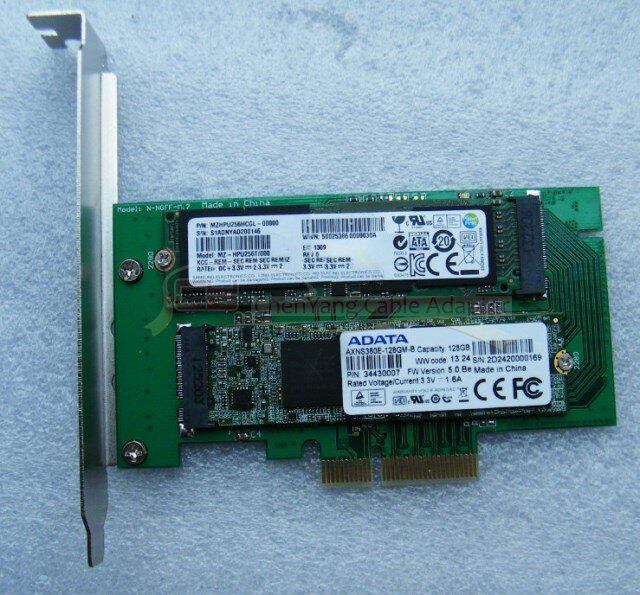
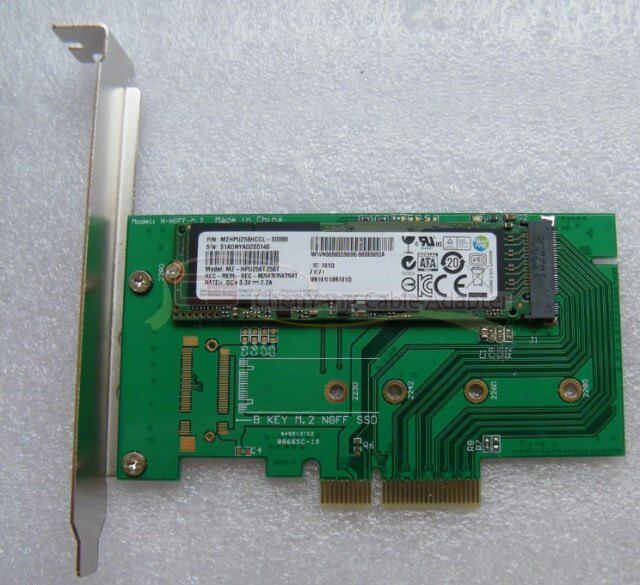
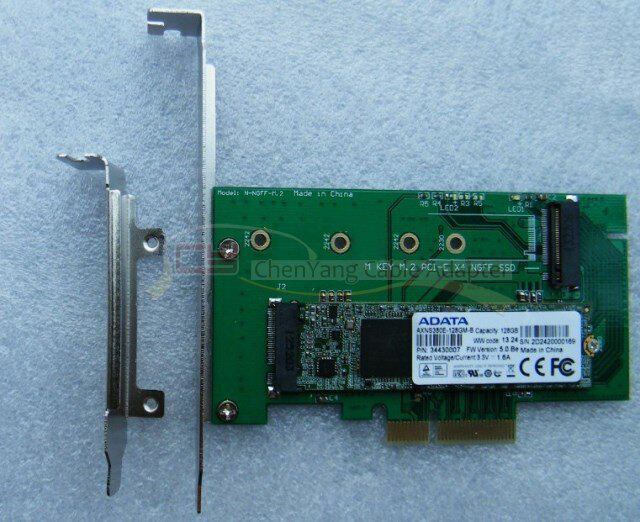
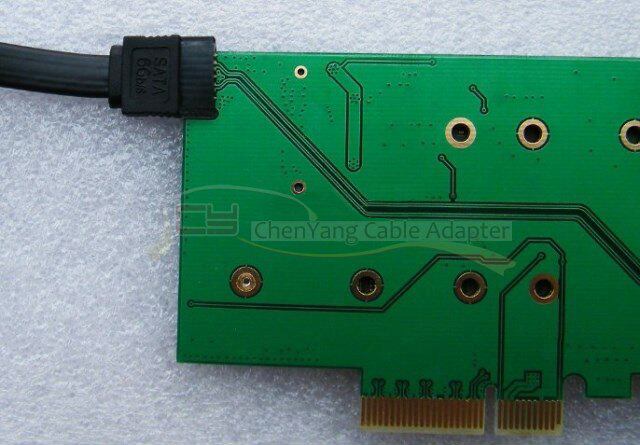
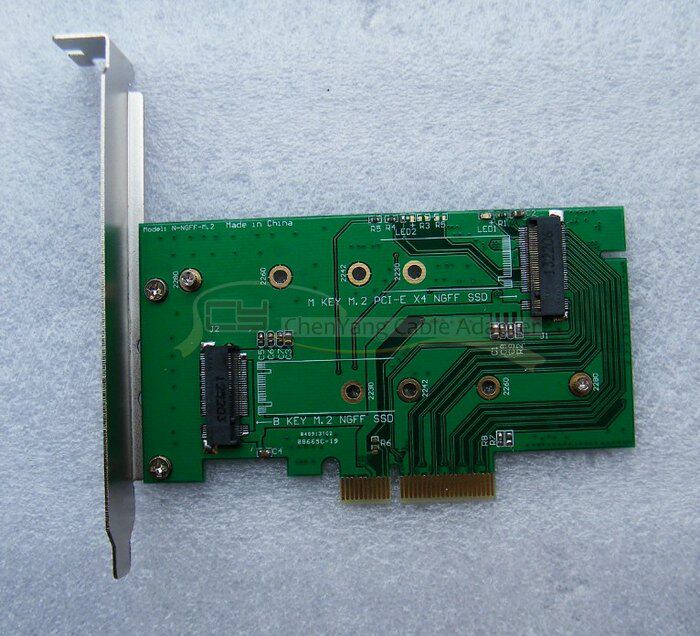
三星xp941 M.2 PCI E NGFF SSD转PIC-E X4转接卡
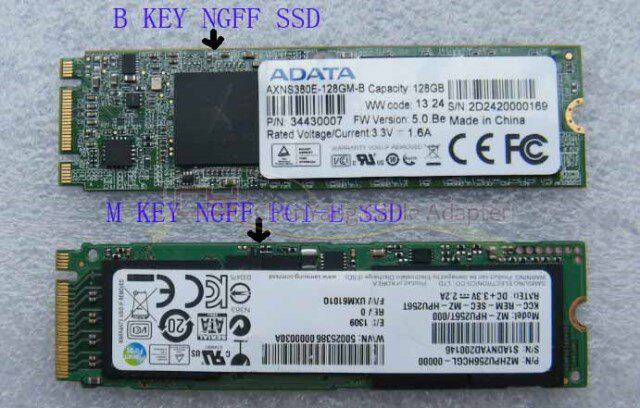
PCI-E NGFF(M.2 M KEY SSD)接口的SSD通过电脑的PCI-EX4或X8或X16接口(也就是PCI-E显卡接口)跟电脑连接识别,购买之前请务必确定您机器有没有这个接口,没有的话是不能使用的。
PCI-E NGFF接口的SSD通过电脑的PCI-EX4或X8或X16接口转接后,进入操作系统可以正确识别的,普通电脑在BIOS下是看不到的,所以也不支持系统启动,除非您的电脑主板BIOS支持PCI-E设备启动!本人测试,Z77主板用WIN7或WIN8的系统安装盘,安装时可以识别,可以分区,但是复制完系统文件之后重启,找不到硬盘,因为机器的BIOS启动项里面没有PCI-E硬盘的选项,这个不是转接卡问题,是因为以前的的机器BIOS都不支持PCI-E设备启动的,部分服务器可以支持启动。
M.2 B KEY SSD因为转接后是通过SATA数据线连接电脑的,可以跟普通硬盘一样正常使用。
system requirement:
1. Motherboard z97 above
2. Operating system Windows10 above
Note: If your motherboard chipset is less than 9 series, do not use PCIe x4 hard drives like pm951, sm951, pm950 XP941!
Not your motherboard PCIE interface will be able to use the PCIE interface SSD, the key depends on your motherboard BIOS can support PCIE interface SSD!
9 series of chipsets under normal circumstances is certainly not support PCIE interface solid state drive started!
AMD chipset motherboard is not recommended to buy!
NVME protocol disk AS SSD test software compatibility is not good, it is recommended to use Crystal DiskMark software test speed!
In addition, the adapter card is plugged into the motherboard PCIE graphics slot, do not insert the wrong location! If you insert the PCI slot may burn the riser card and hard disk!
Note: In windows7 and windows 2008R2 operating system, you need to install patch of M-key or NVME SSD,
Specific reference to the following link:
https://support.microsoft.com/kb/2990941
Samsung xp941 M.2 PCI E NGFF SSD to PIC-E X4 adapter card
The SSD of the PCI-E NGFF (M.2 M KEY SSD) interface is connected to the PC through the PCI-EX4 or X8 or X16 interface of the computer (that is, the PCI-E video interface). Before making a purchase, make sure that your machine does not have this Interface, no words can not be used.
After the PCI-E NGFF SSD is transferred to the operating system through the PCI-EX4 or X8 or X16 interface of the computer, the common computer can not be seen under the BIOS. Therefore, the system startup is not supported unless you Computer motherboard BIOS support PCI-E device boot! I test, Z77 motherboard with WIN7 or WIN8 system installation disk, the installation can be identified, you can partition, but after copying the system file reboot, can not find the hard disk, because the machine's BIOS startup item there is no PCI-E hard disk option, This is not a riser card problem, because the previous machine BIOS does not support the PCI-E device is started, some servers can support startup.
M.2 B KEY SSD because the adapter is connected to the computer through the SATA data cable, you can use the same as normal hard drive.